Emails
The transactional emails MintCash sends your customers on your behalf — when they fire, what they contain, and how to turn them off.
MintCash sends transactional emails to your customers on your behalf, so you don't have to build the billing-communication flow yourself. Each email goes out under your brand: the From name is your business name, and replies go to your own support address.
Subscription emails only
Every email below is tied to a subscription. One-time payments don't send
any email — the customer hears from you through your own flow.
payment_successful and the failure emails are subscription billing events,
not generic payment receipts.
Sender identity
| Field | Value |
|---|---|
| From | "Your business name" <no-reply@mail.mintcash.me> |
| Reply-To | The email on your MintCash account |
Emails appear to come from your brand, and any customer replies reach you, not MintCash. The dedicated mail.mintcash.me sending subdomain keeps deliverability isolated and healthy.
The emails
Five emails cover the subscription lifecycle. Each one is sent to the subscription's customer.
| Customer sees | Fires when | |
|---|---|---|
| Payment confirmation | Their charge went through | A subscription charge succeeds — the first charge (activation) or a renewal. |
| Update payment method | A gentle nudge to fix the card | The renewal itself fails, before any retry has run. |
| Payment failed | The charge didn't go through | The 1st or 2nd retry fails. |
| Subscription will cancel | A final warning | The 3rd retry fails — the last reminder before the final attempt. |
| Subscription cancelled | Their subscription has ended | The final retry fails and billing stops, a hard decline cancels immediately, or you cancel the subscription via the API. |
The dunning ladder
When a renewal fails, MintCash retries on a schedule and escalates the customer email at each step. The final attempt cancels the subscription if it also fails.
| Step | Why this one | |
|---|---|---|
| Renewal fails (day 0) | Update payment method | A gentle nudge — most declines are a dead card, and the customer can fix it before a single retry runs. |
| Retry 1 fails | Payment failed | The decline is persisting. |
| Retry 2 fails | Payment failed | Still declining after a second retry. |
| Retry 3 fails | Subscription will cancel | Final warning, sent before the last attempt so it always reaches the customer. |
| Retry 4 fails | Subscription cancelled | The final attempt failed; billing stops and access is revoked. |
The card-update link
The four emails sent while the subscription can still be saved — Update payment method, both Payment failed emails, and the Subscription will cancel warning — each carry their own card-update link. It opens a hosted recovery page that explains the failed renewal and takes a new card on the same page; paying it settles the invoice and reactivates the subscription immediately.
Each email mints a fresh link, valid for 7 days. All of them charge the same invoice, and that invoice accepts at most 5 submitted cards in total — across the emailed links and any you mint yourself through the API.
Turning these emails off removes the link
The card-update link only reaches the customer through these emails. If you
disable them, recovering a failed subscription becomes your job — mint a link
with POST /subscriptions/{id} /card-update and put it in front of
the customer yourself.
See Retries for the timing of each attempt and Subscriptions for the state machine these emails track.
What each email contains
Templates are rendered with live data from the subscription, so each email is personalised without any work on your side. The available details are:
- Customer — name and first name (for the greeting).
- Your brand — business name and logo, applied to the email's styling and the From name.
- Amount — pre-formatted with the currency symbol (e.g.
$19.00), plus the raw value and ISO currency code. - Billing — the billing interval and the current period's start and end dates.
- Cancellation — on the cancellation email, the date it was cancelled and the reason.
Previews
Rendered from a real sandbox send, so what's below is the actual template output — not a mockup.
| Preview | |
|---|---|
| Payment confirmation | 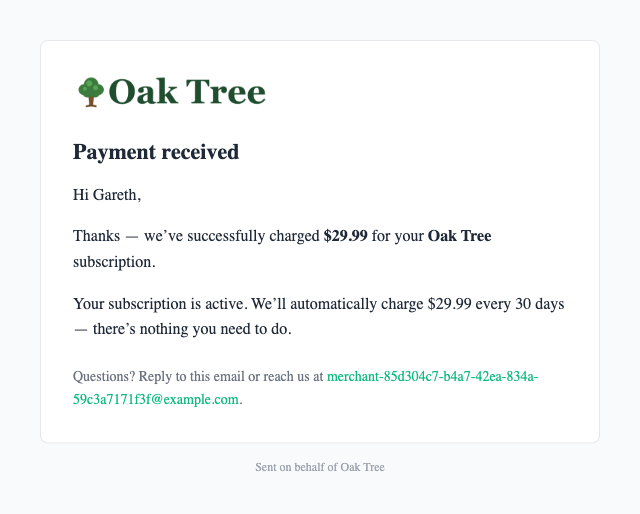 |
| Payment failed | 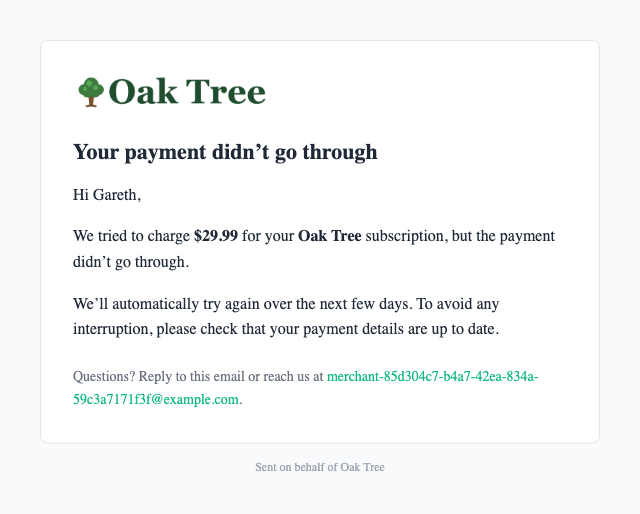 |
| Subscription will cancel | 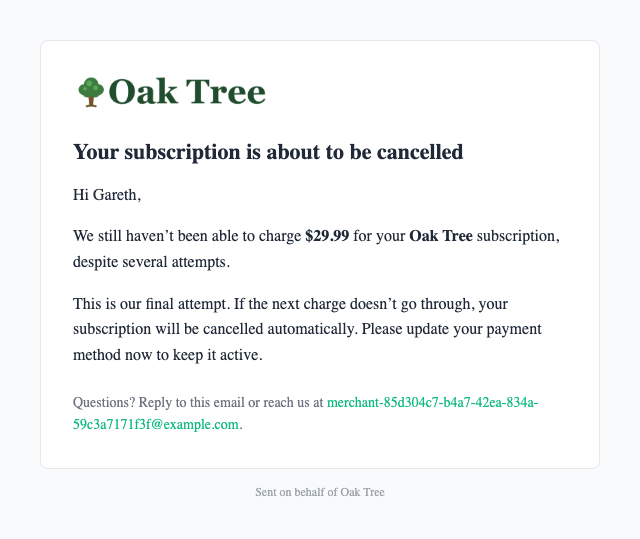 |
| Subscription cancelled | 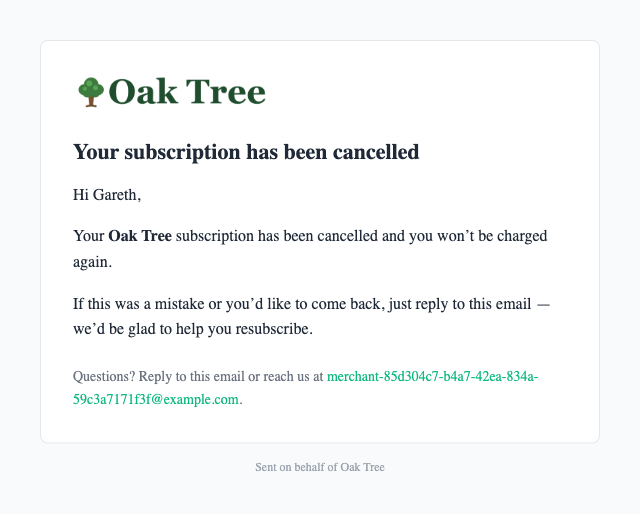 |
Disabling emails
Every email is on by default. If you run your own customer communication and don't want MintCash to email your customers, there are two levels of control:
- Turn everything off — a master switch that suppresses all MintCash transactional email for your account, including any email types added in future.
- Turn off individual emails — disable a single email while keeping the rest. For example, keep the failure and cancellation emails but suppress the payment confirmation.
How to change it
These controls are managed by MintCash on your account — there's no public API for them. Ask your account manager or support to enable or disable specific emails. Every change is recorded in an audit log.
When an email is disabled, the send is skipped and logged — never silently dropped — so it's always clear why a customer didn't receive a message.